Edit a Profile
This chapter explains how to edit an existing browser profile in SessionPod.
Steps
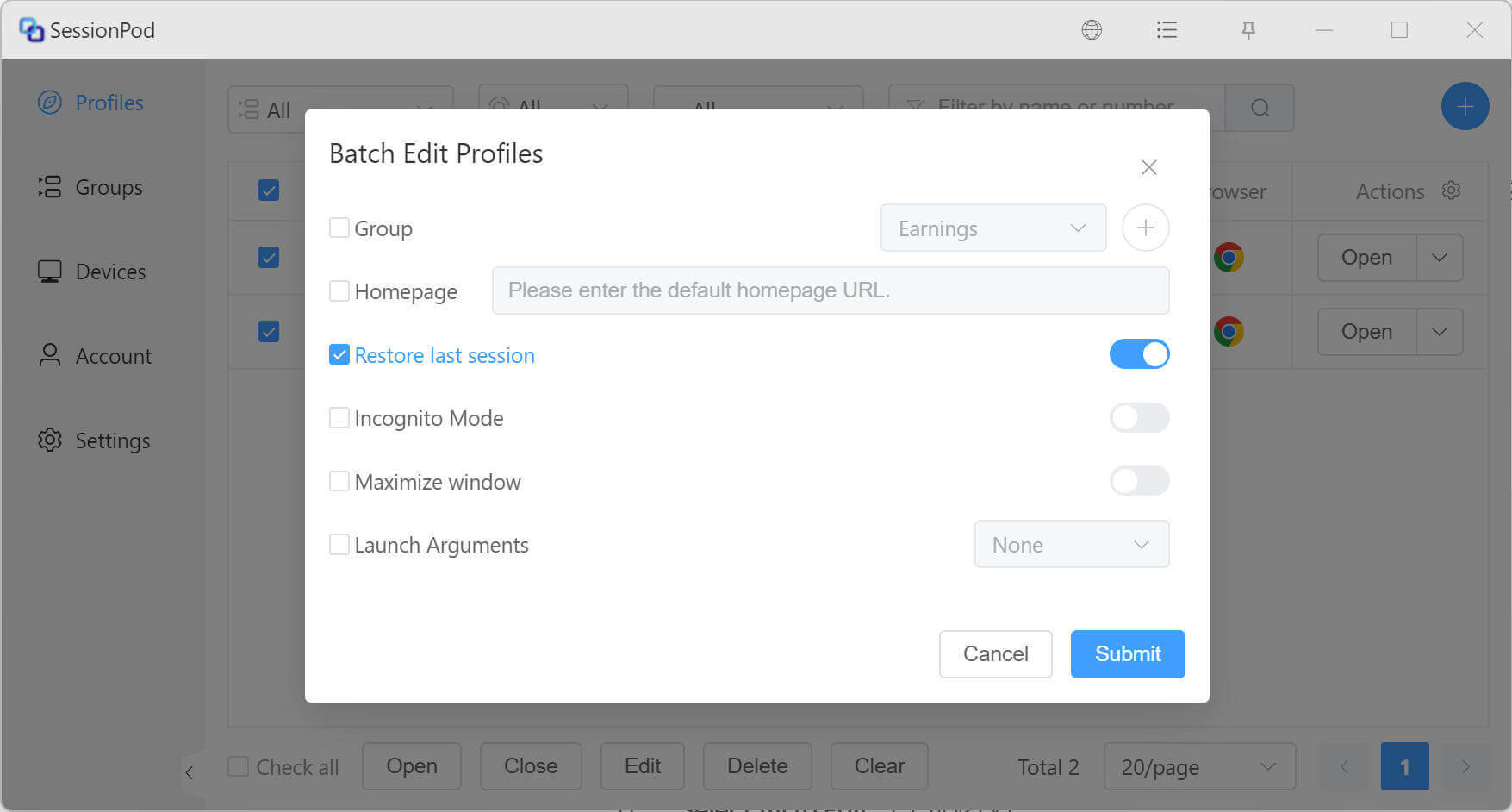
Step 1: Click the edit button
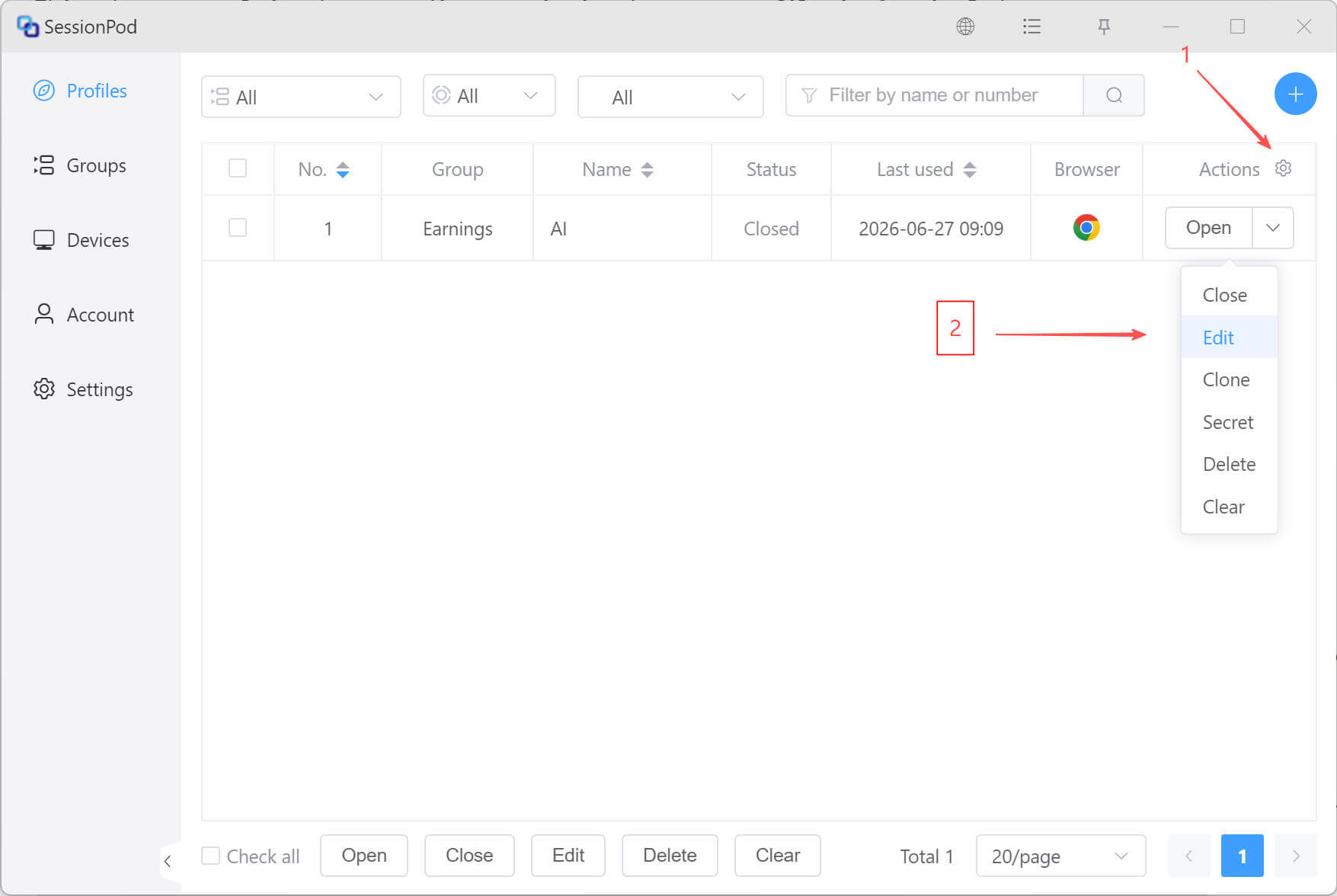
Step 2: Modify information
In the Edit Profile window, update the settings as needed.
Batch editing
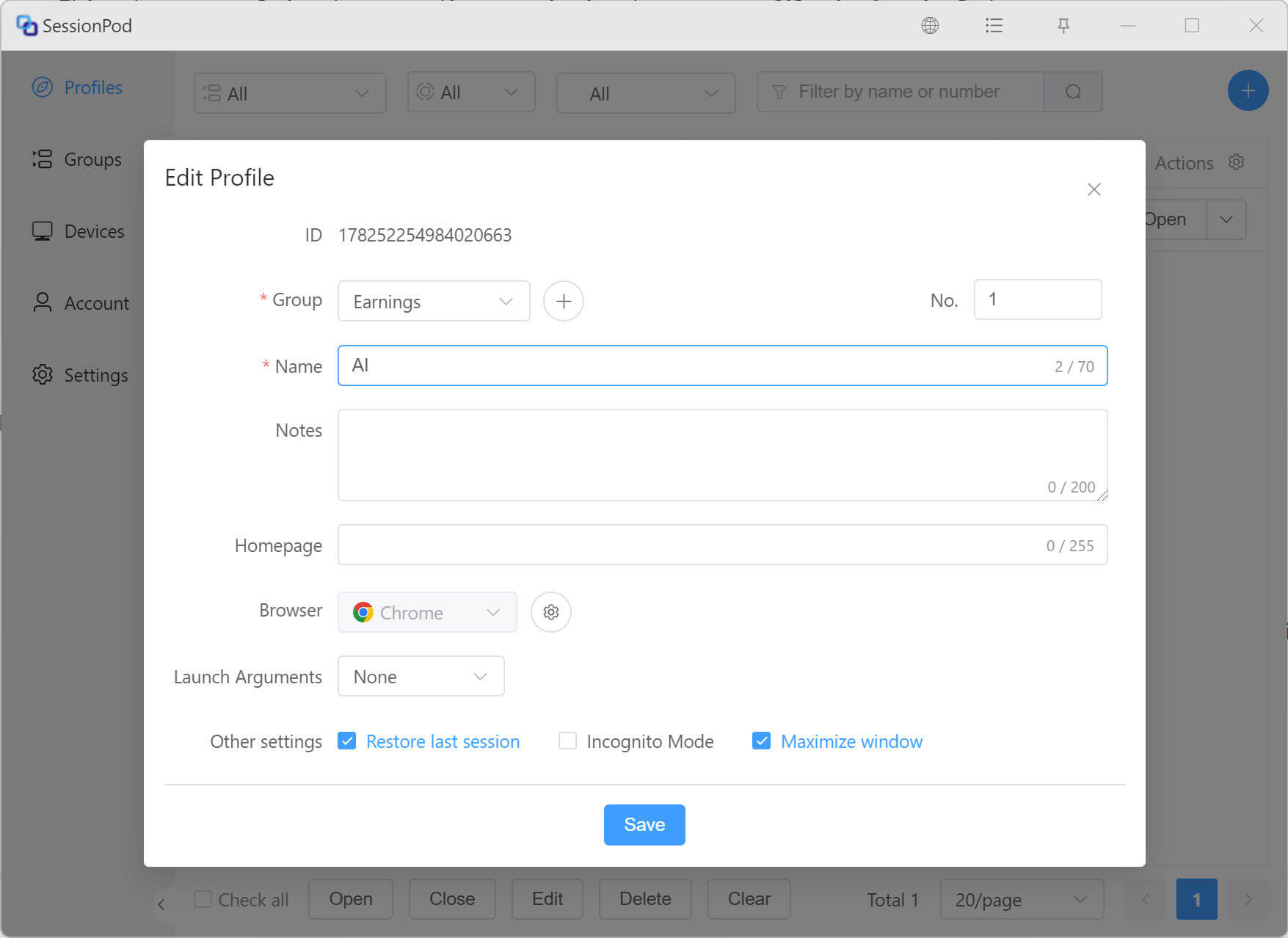
SessionPod supports batch editing profiles. In the profile list, select multiple profiles, then click Edit to open the batch edit page.
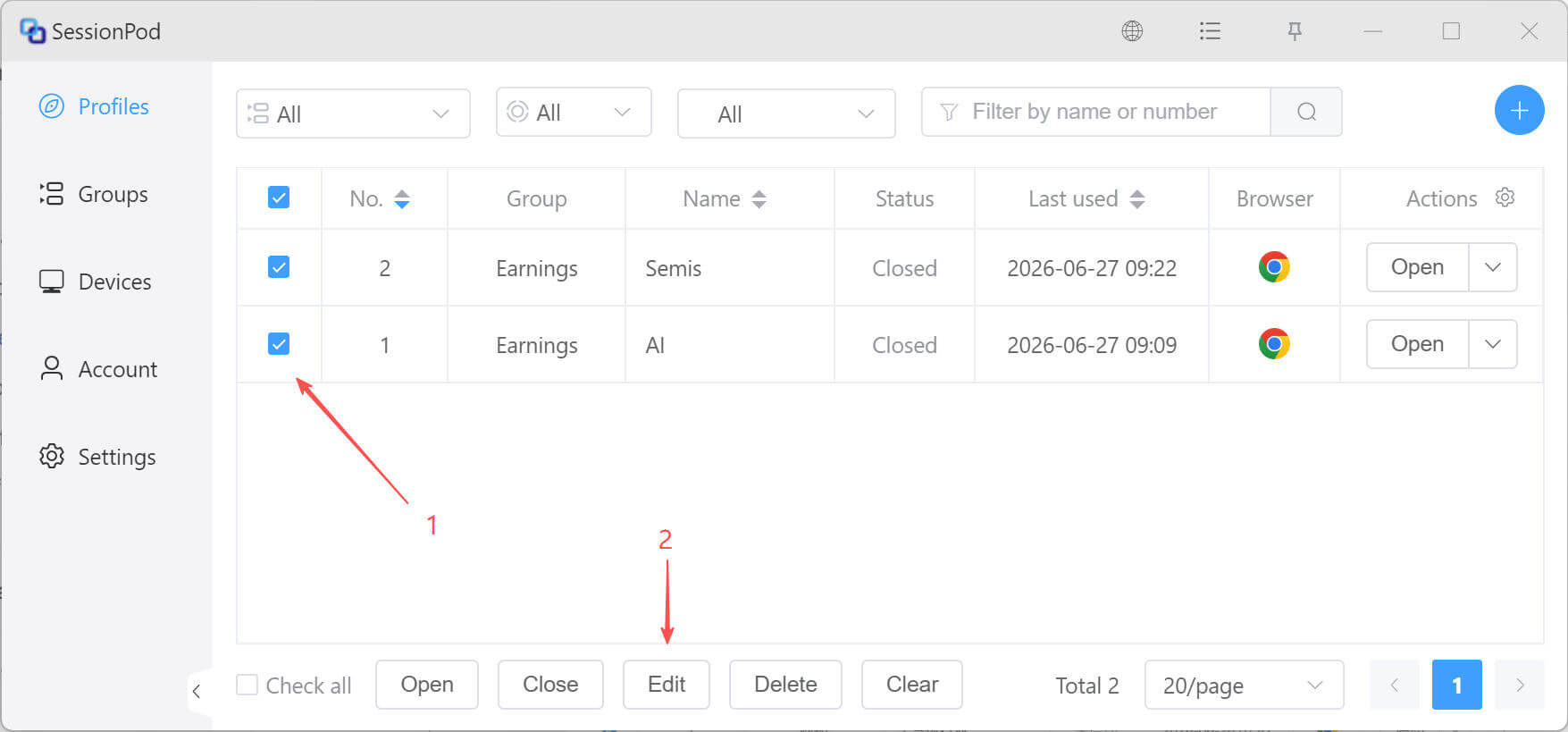
In the dialog that appears, choose the fields you want to modify and set the new values. After you click Submit, the selected profiles will be updated.