Delete a Profile
This chapter explains how to delete browser profiles you no longer need in SessionPod.
Delete a single profile
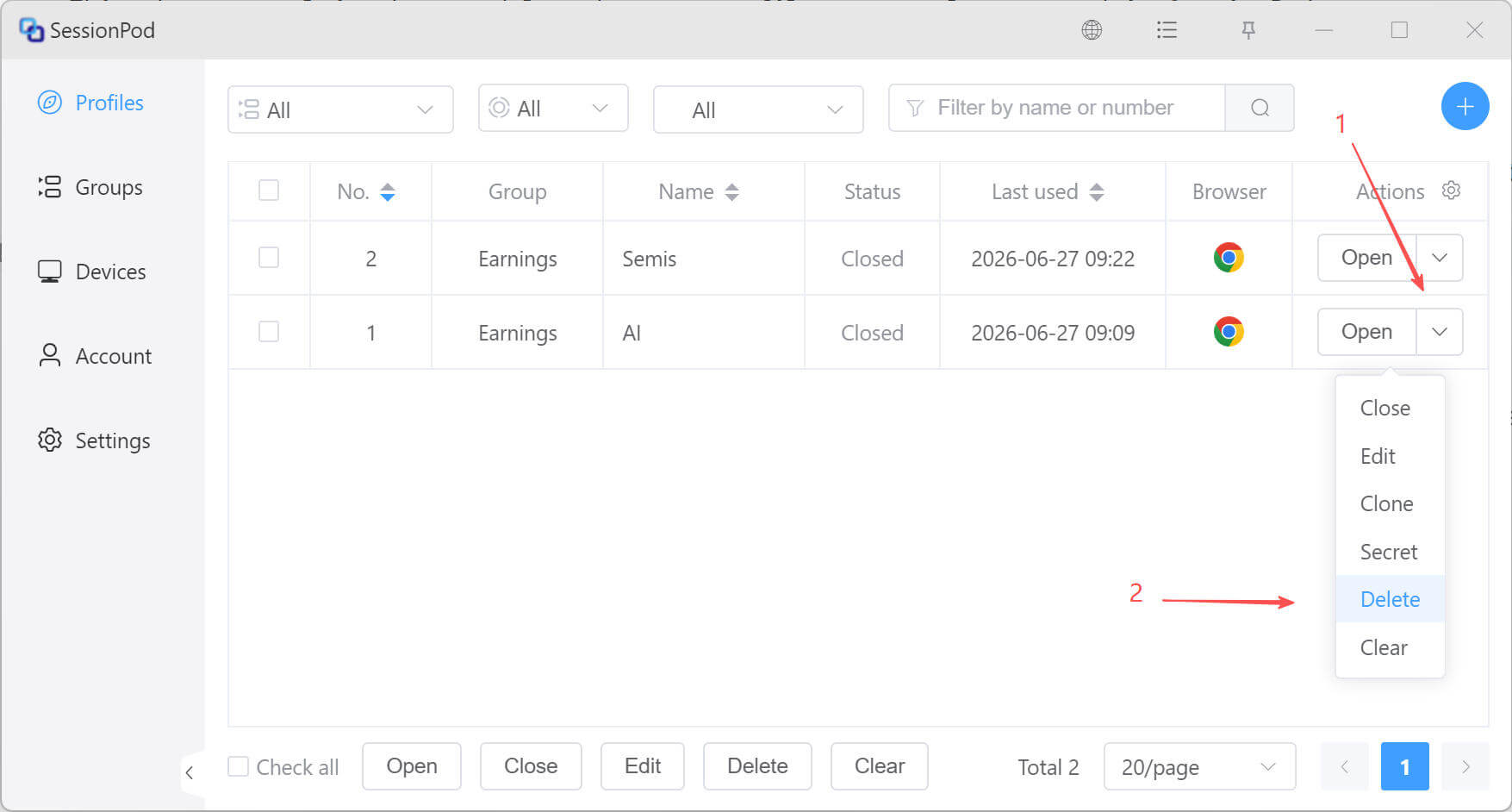
As shown below, find the profile you want to delete in the profile list, then click Delete in that entry's drop-down menu.
Delete multiple profiles in batch
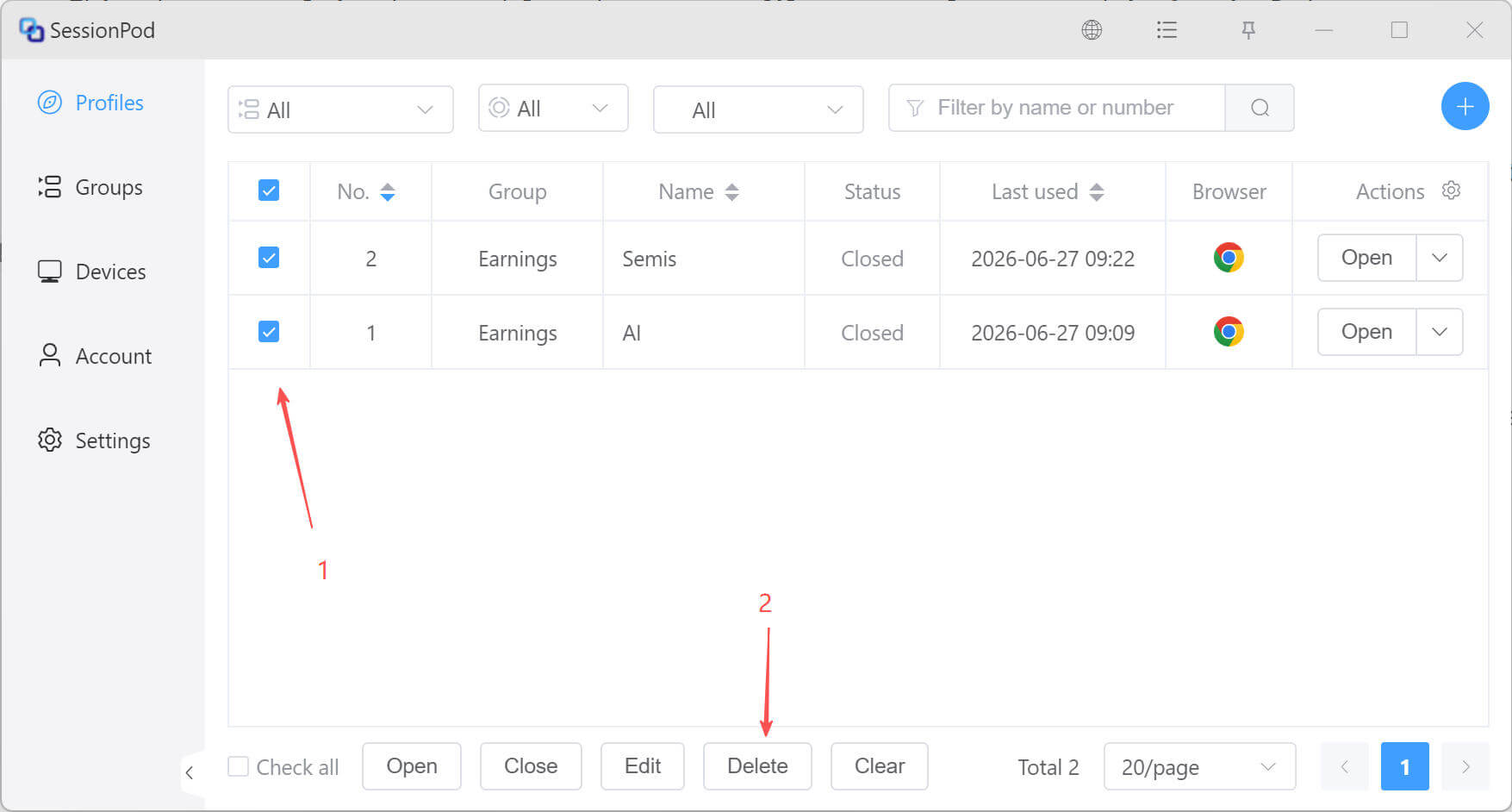
On the profile list page, select multiple profiles, then click Delete at the bottom of the page to delete the selected profiles in batch.