
Edit a Group
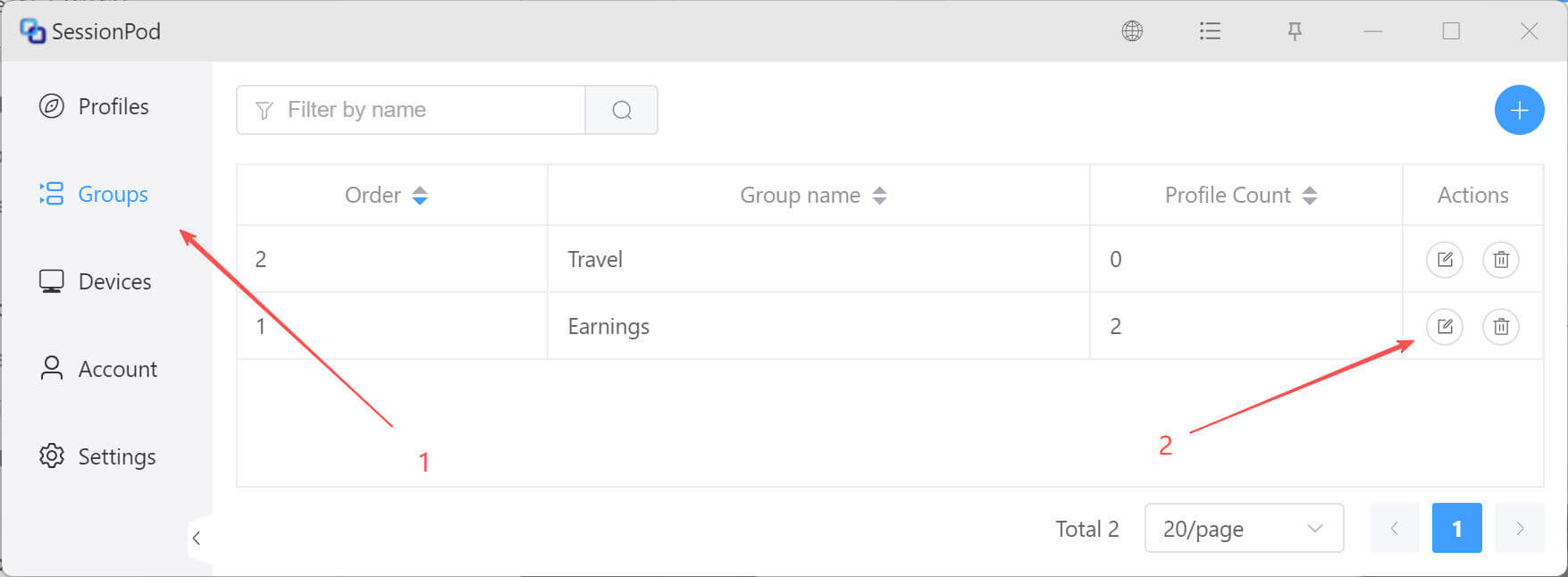
On the group management page, click the edit icon for the target group, as shown below:
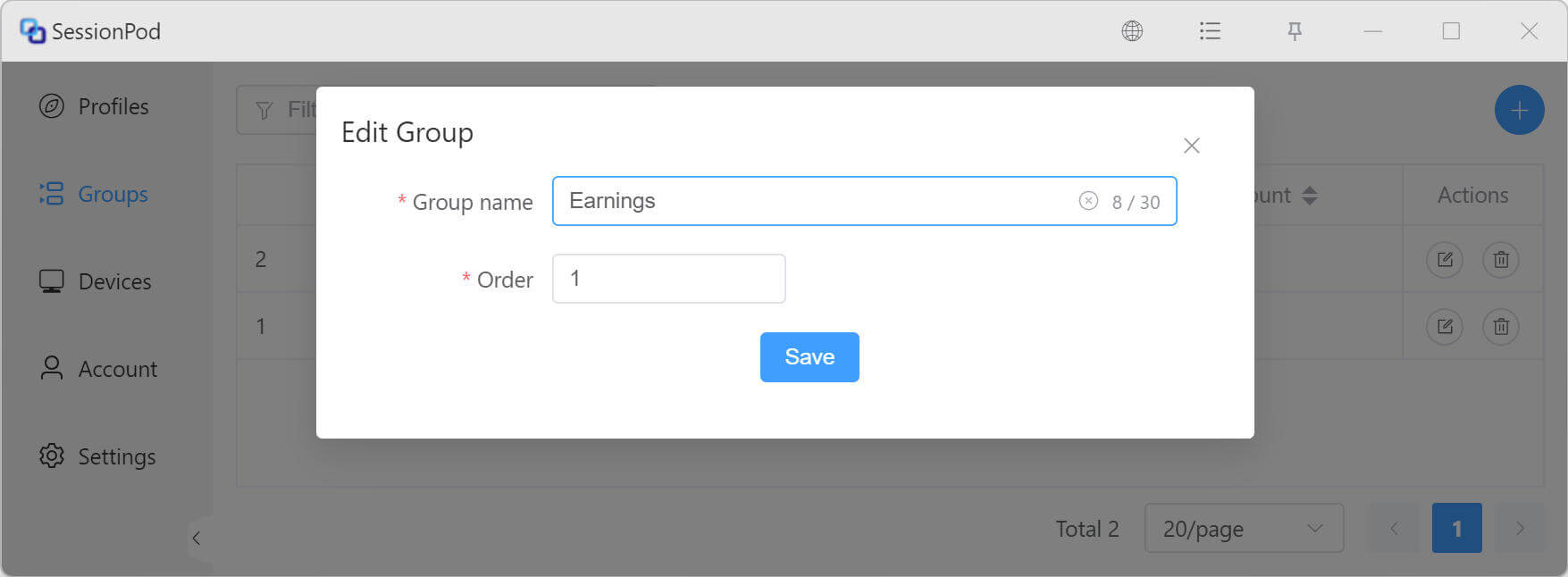
In the Edit Group window, you can modify the group name and sort order. Click Save to finish editing the group.
On the group management page, click the edit icon for the target group, as shown below:
In the Edit Group window, you can modify the group name and sort order. Click Save to finish editing the group.