Create a Group
This chapter explains how to create profile groups in SessionPod, helping you categorize profiles and manage them in batch.
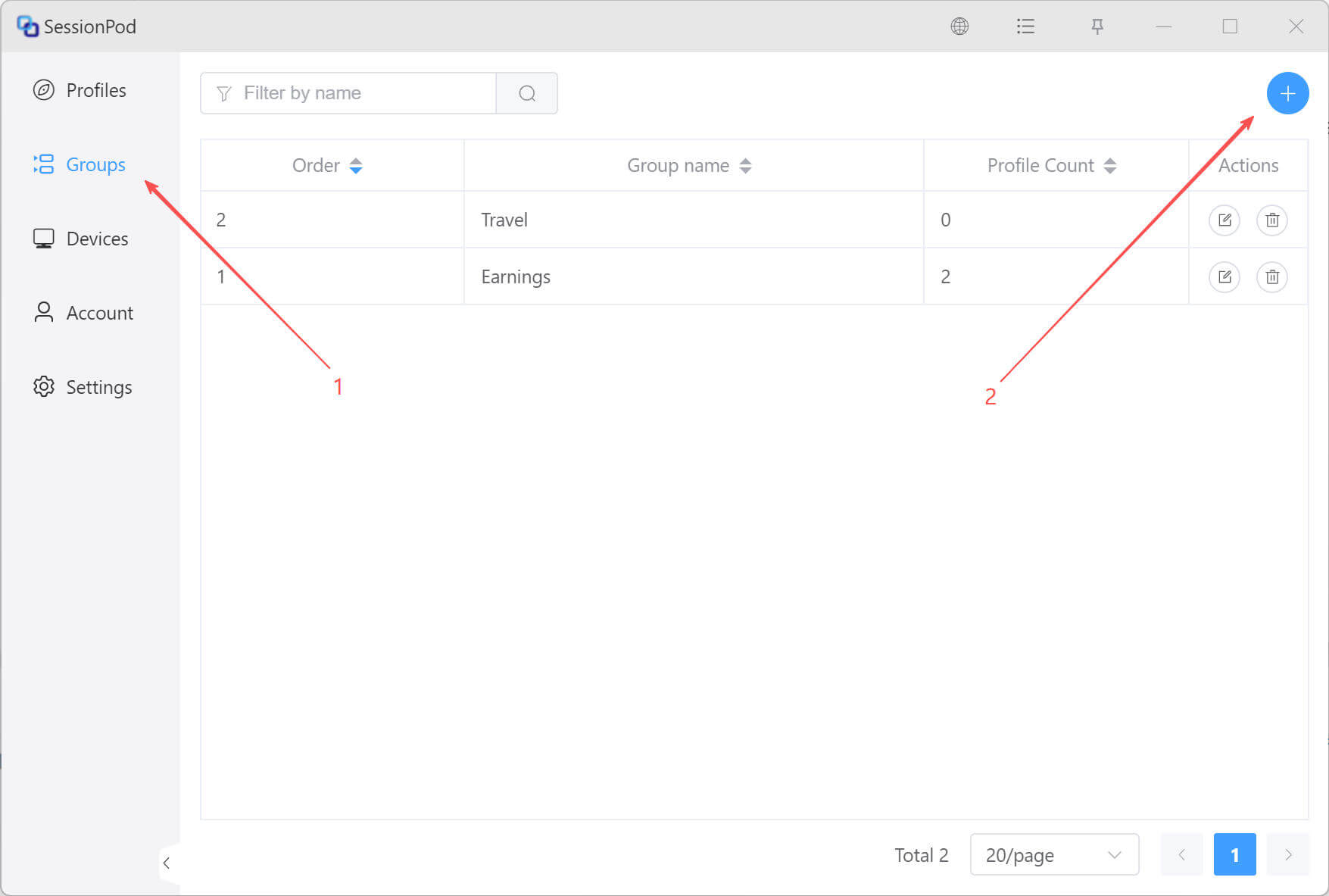
In the group management page, click the Create Group icon in the upper-right corner, as shown below:
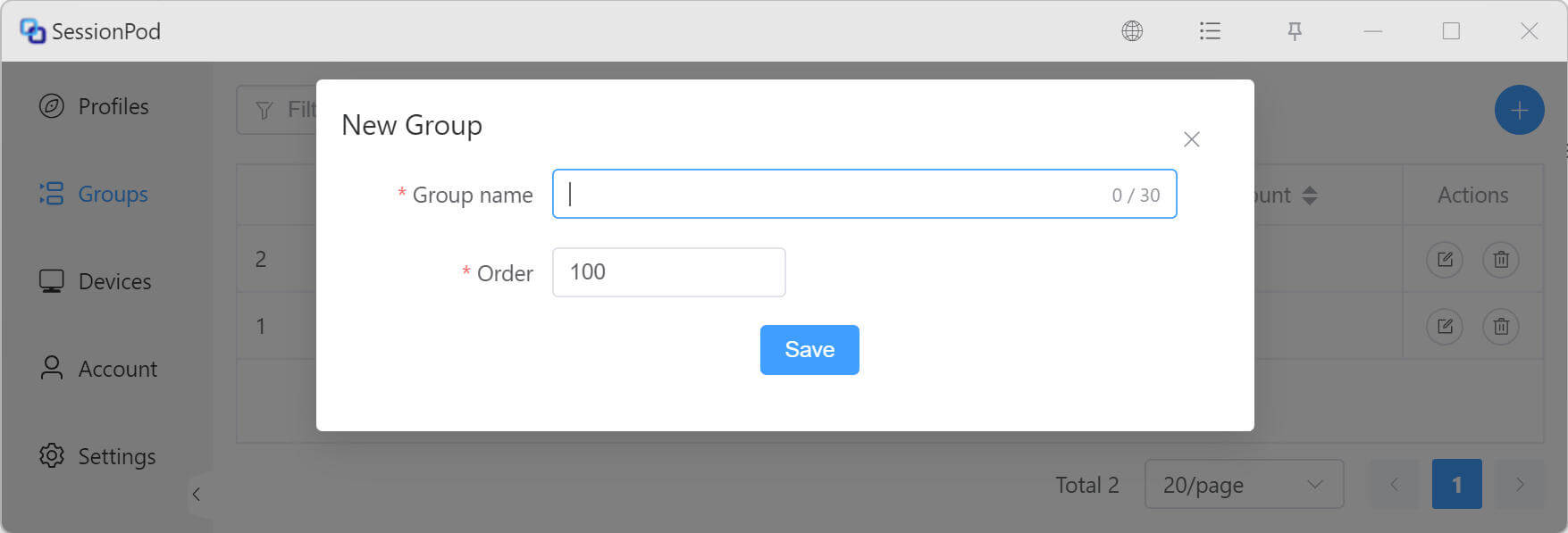
In the Create Group window, enter the group name in the Group Name field, then click Save to create the group.
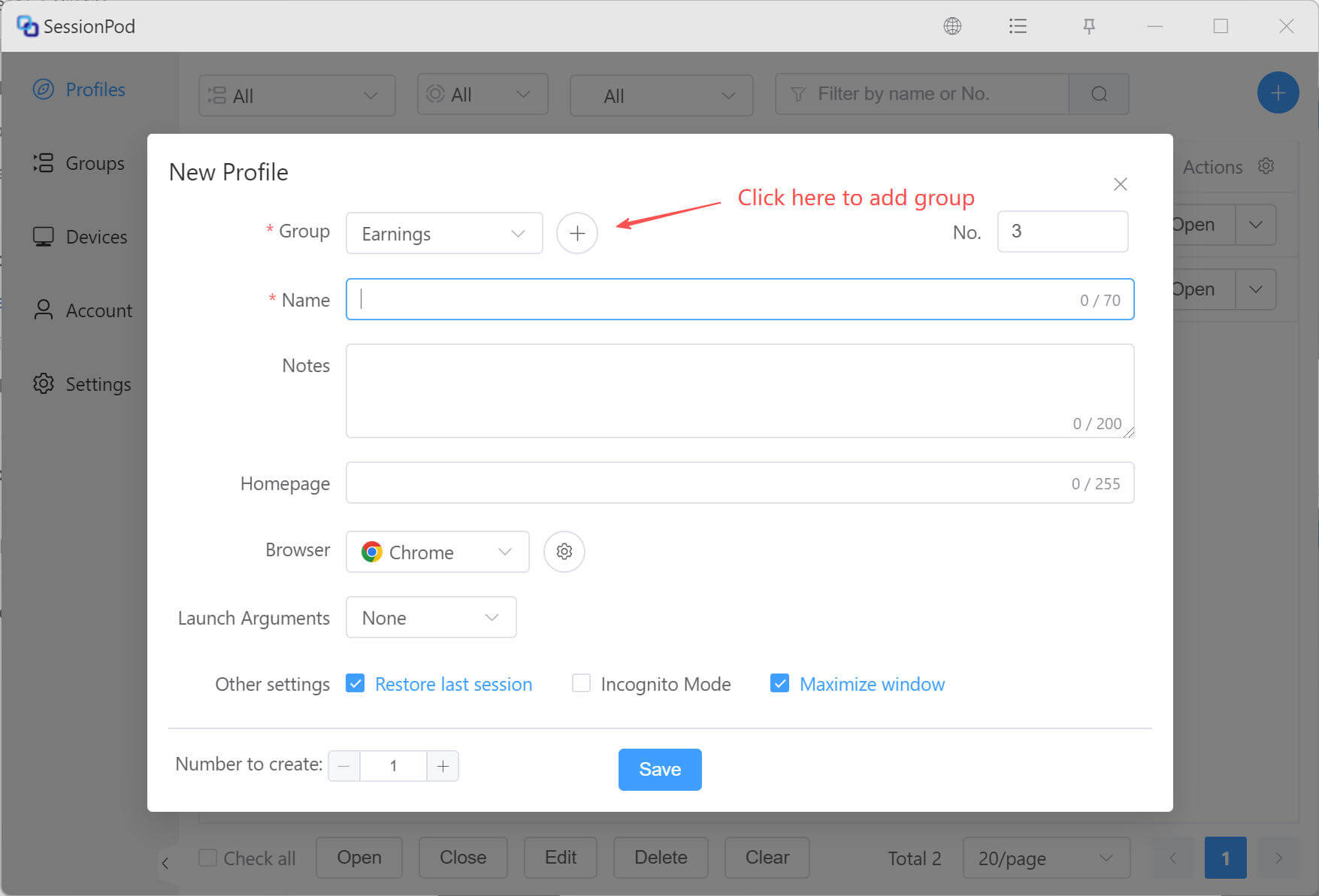
You can also open the create group dialog from the profile configuration page by clicking the create button, as shown below: